To hand off HeliosGen assets for ads, save the finished media, export the source workflow and verify that its referenced files were included. Review the exact creative that will be uploaded, then record filenames, placement, destination and approval. A workflow ZIP preserves production context; it is not a ready-to-launch advertising campaign or a substitute for checking the final assets.
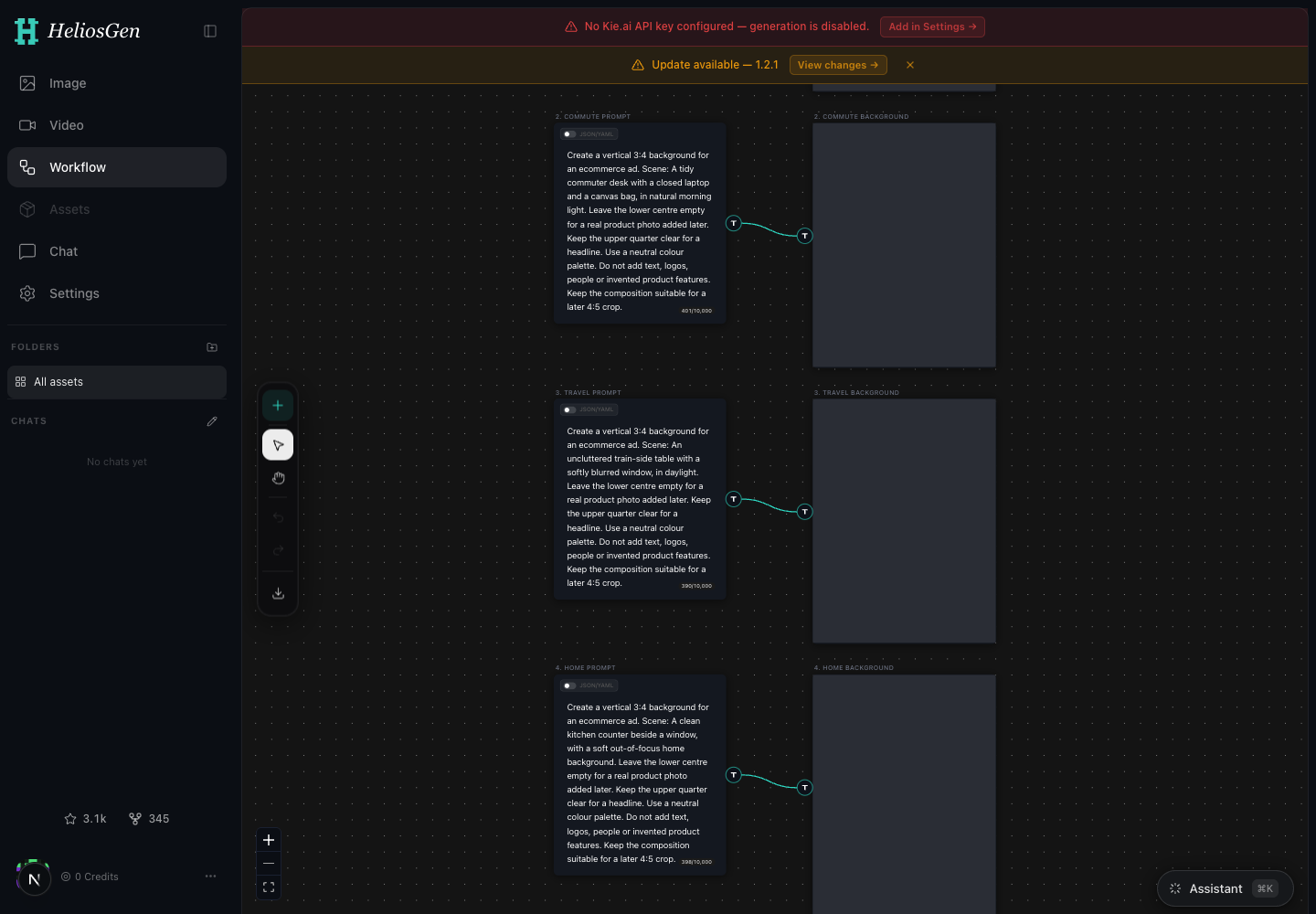
Version checked: HeliosGen 1.2.1 source, October 15, 2026. We tested the existing WhatWins starter ZIP through the release's importer and exporter without provider calls. The capture below shows that starter workflow; it contains no generated product assets. The handoff example is fictional.
1. Separate the source project from the deliverables
Keep three items together: the editable workflow, the finished media, and a short approval record. Name a version explicitly, such as backpack-desk-v03, instead of passing a folder called “latest.” A campaign operator should be able to identify the approved image without inspecting every node on the canvas.
Save rejected or exploratory outputs separately from approved deliverables. If two files use the same composition but different claims, their filenames and review records need to distinguish them. A changed claim is not merely a new export format.
2. Export the workflow and read the result
In the workflow canvas, use Export workflow (.zip). That control is defined in the release's canvas toolbar.
 View full size
The exporter writes a workflow.json manifest and tries to include referenced media under assets/. A media download that fails can remain as its original URL. The canvas export handler reports when assets could not be bundled. Read that result before treating the ZIP as a complete backup.
A ZIP can therefore exist while still depending on an expiring remote file. If media was skipped, recover the source file and repeat the export, or clearly document what the recipient must restore.
3. Verify the handoff in a separate workflow
Inspect the ZIP contents before sharing. Confirm that the manifest exists and that expected media files are present. A prompt-only starter can legitimately contain no media; a finished reference-based project needs a different check.
Import a copy as a separate workflow using the release's workflow import. Check node count, connections, prompts and visible reference media. Keep the original project until the copy is verified. Opening an imported workflow does not prove a new generation would succeed, and it should not require starting one just to inspect the archive.
Our starter ZIP contains ten nodes and five connections. Its importer/exporter round trip is tested, but it deliberately contains no API keys, product references or generated results. Use that known structure when learning the export process, then verify your own project separately.
4. Approve the exact file that will run
Open the final asset outside HeliosGen. Compare it with the authorized product reference, inspect text and labels, and preview the intended crop on a phone. For a video, watch the entire exported file and listen to the audio. Review the final composed creative after adding captions or logos, not only the model's original output.
Use the AI product-image review for product fidelity and the YouTube Shorts preflight when that is the destination. Model output quality and placement readiness are separate checks.
For the fictional backpack example, the approval record might accept backpack-desk-v03-portrait.jpg and reject v02 because the front pocket changed. Include the reason so the rejected file is not accidentally reintroduced later.
5. Prepare the campaign handoff
Download the export and approval record. Fill in approved filenames, source workflow, reference version, copy, landing page, intended placement, owner and approval status. Include unresolved issues as blockers instead of hiding them in a chat thread.
AdRails positions its product around AI agents for Meta and Google ad operations, including creation, monitoring and reporting with rules and limits. Bring the checked assets and brief into the supported campaign workflow, then review the proposed settings before any launch. Our AdRails guide explains the next steps.
This handoff is manual. We are not claiming that AdRails imports HeliosGen ZIPs or has a direct HeliosGen integration. Keep the ZIP as production context and provide the actual approved media required by your campaign workflow.